00
SaaS
pactus
pactus is an AI-powered platform for document intelligence that helps organizations automatically process, analyze, and manage large volumes of files such as contracts, policies, and reports. It uses AI agents to extract key information, classify documents, detect risks, and enable natural-language search across entire document libraries.
challange
solution
how was the process going
discovery & analysis
The discovery phase focused on understanding how teams interact with large volumes of documents in real operational environments and where traditional tools fail to support efficient knowledge retrieval. The goal was to translate a complex AI-driven document intelligence system into a simple, intuitive experience that allows users to access information instantly without needing to understand underlying processing layers.
problem analysis
audience analysis
competitor research
final direction
ux structure
The UX structure was designed around a shift from traditional file navigation to intent-based information retrieval. Instead of organizing the experience around folders and documents, the platform is structured around user questions, tasks, and context-driven exploration of information. The primary goal is to reduce time spent searching and increase time spent acting on insights.
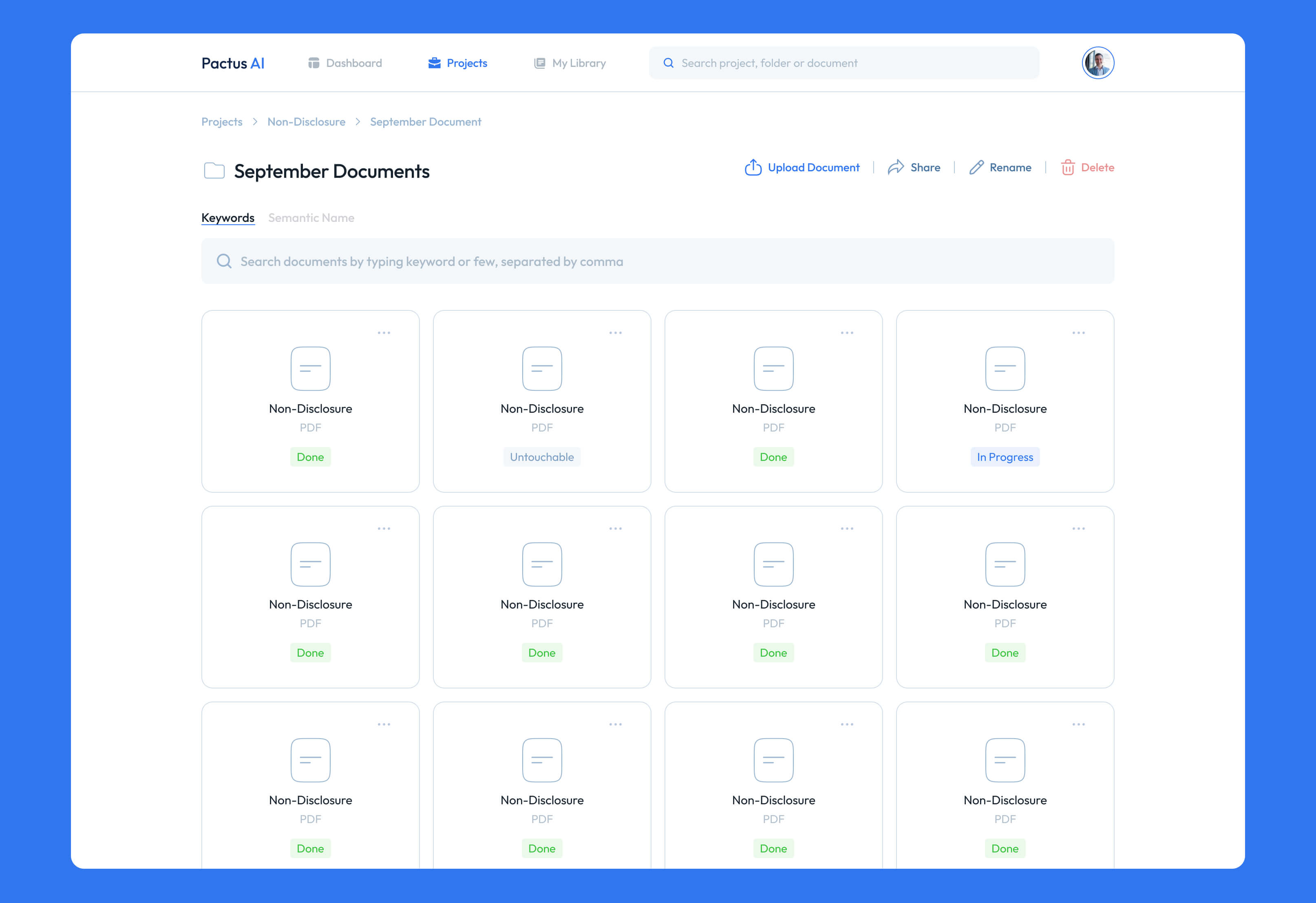
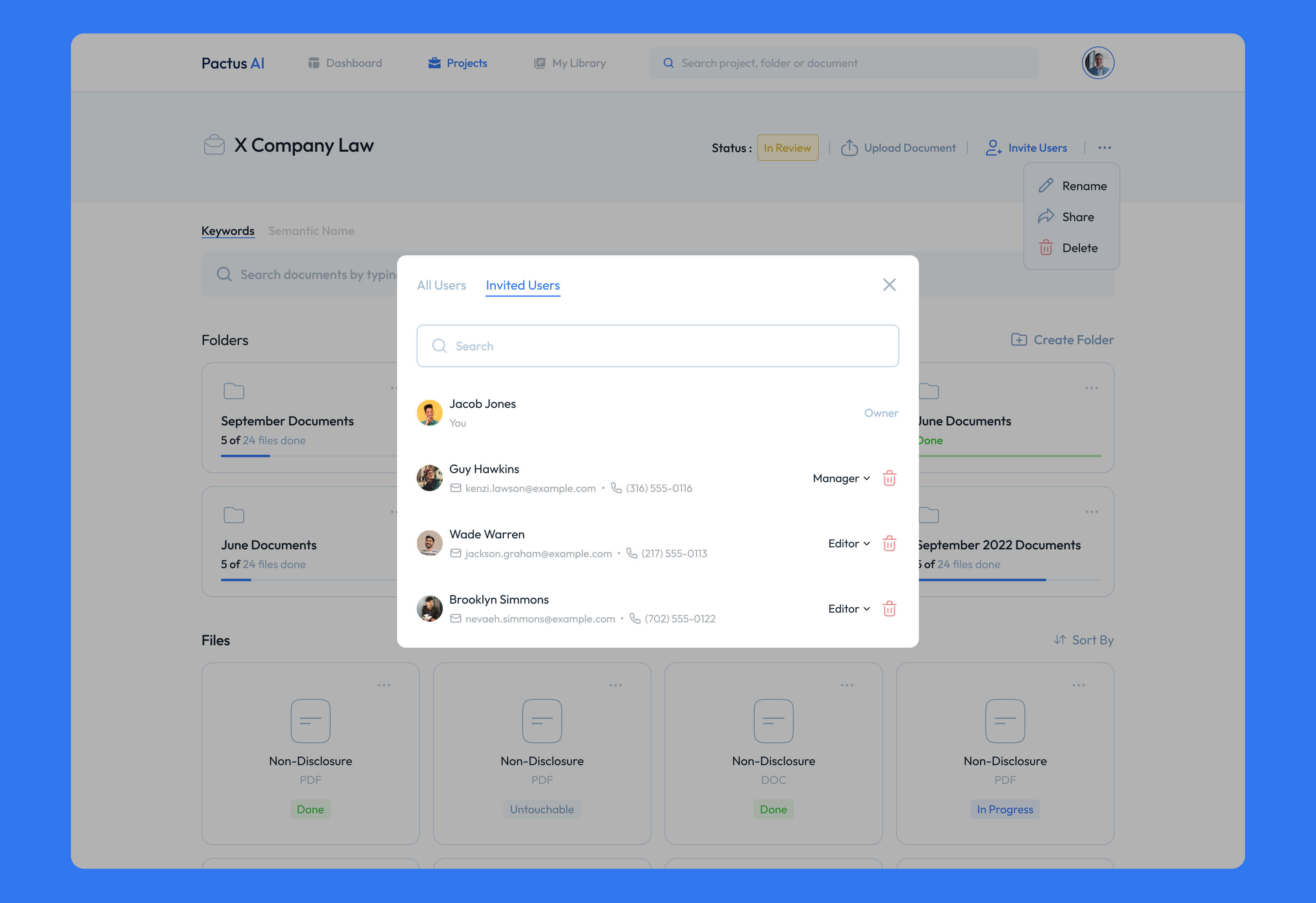
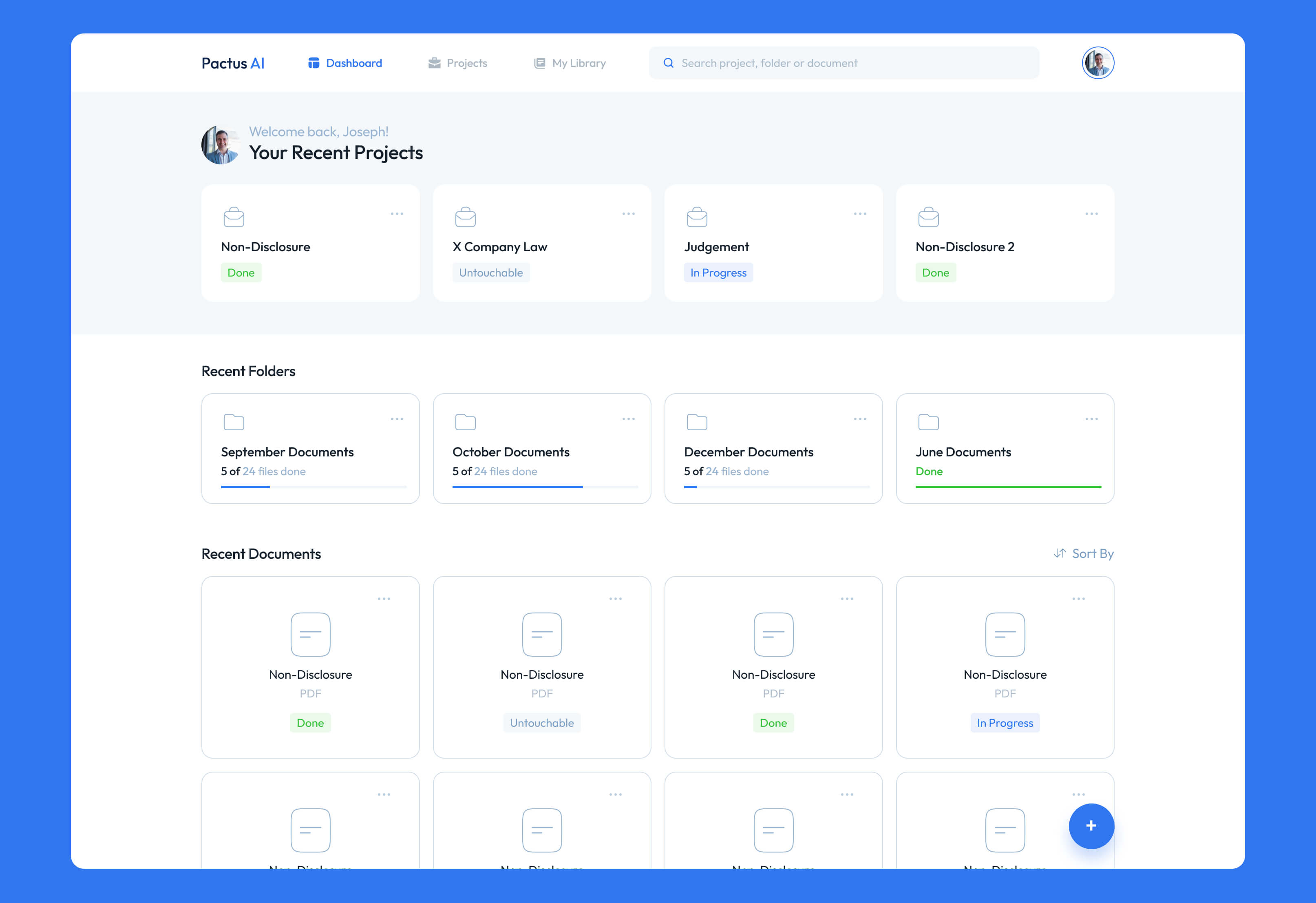
The core navigation revolves around a unified workspace where documents are ingested, processed, and made queryable through natural language. Users can upload files, group them into projects or contexts, and immediately interact with the content through AI-powered search and conversational prompts. This removes the need for manual scanning and replaces it with direct access to relevant information.
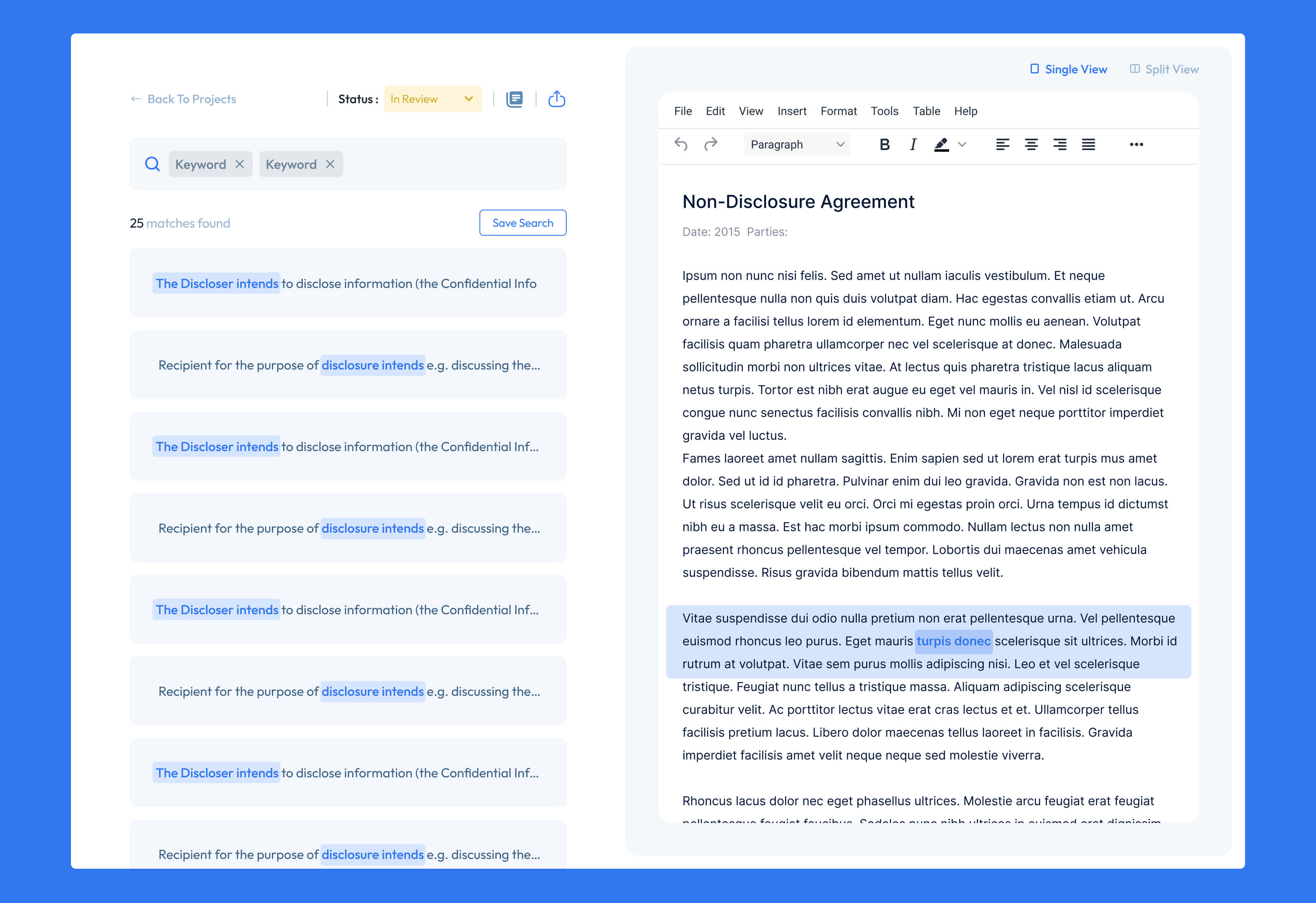
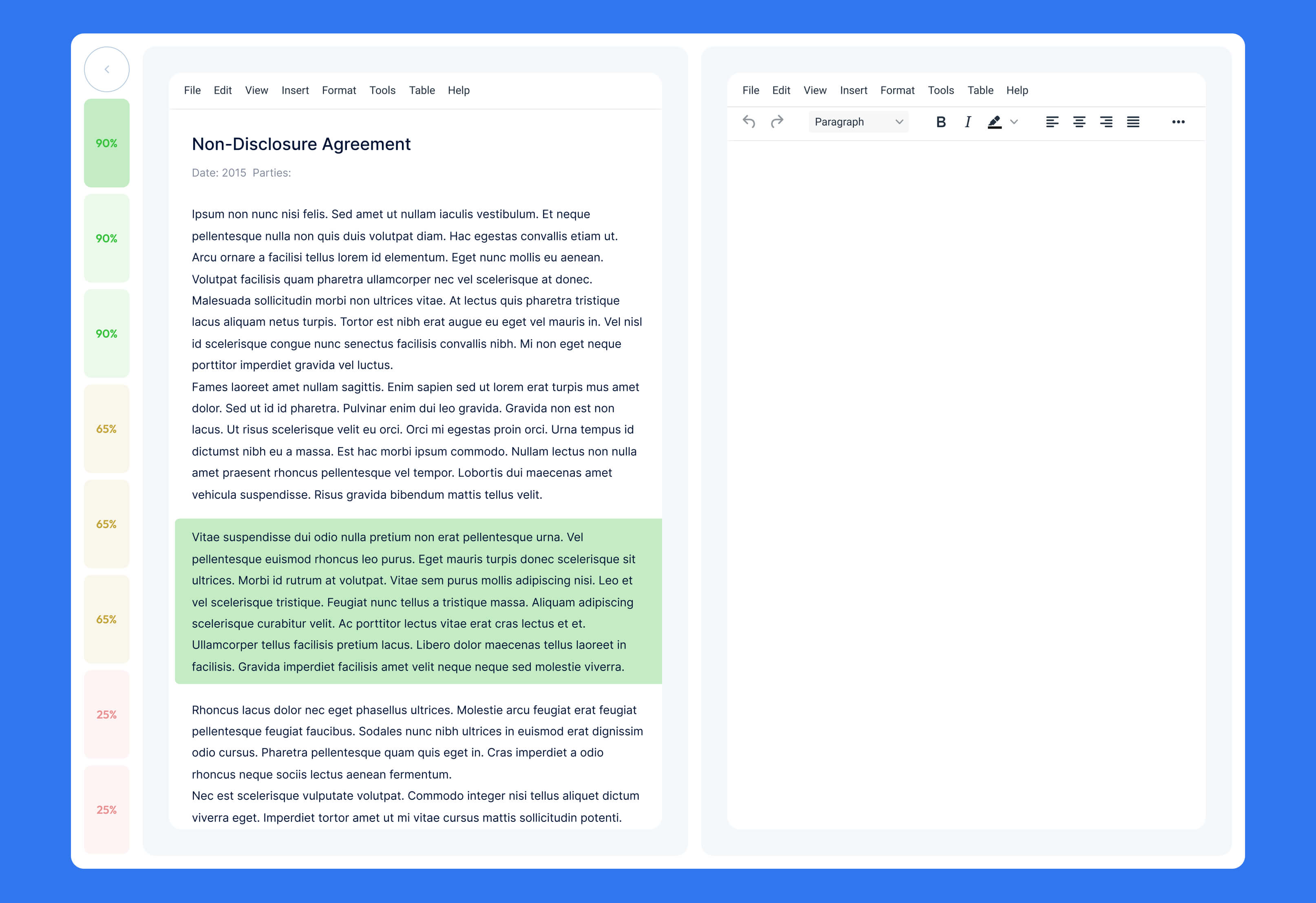
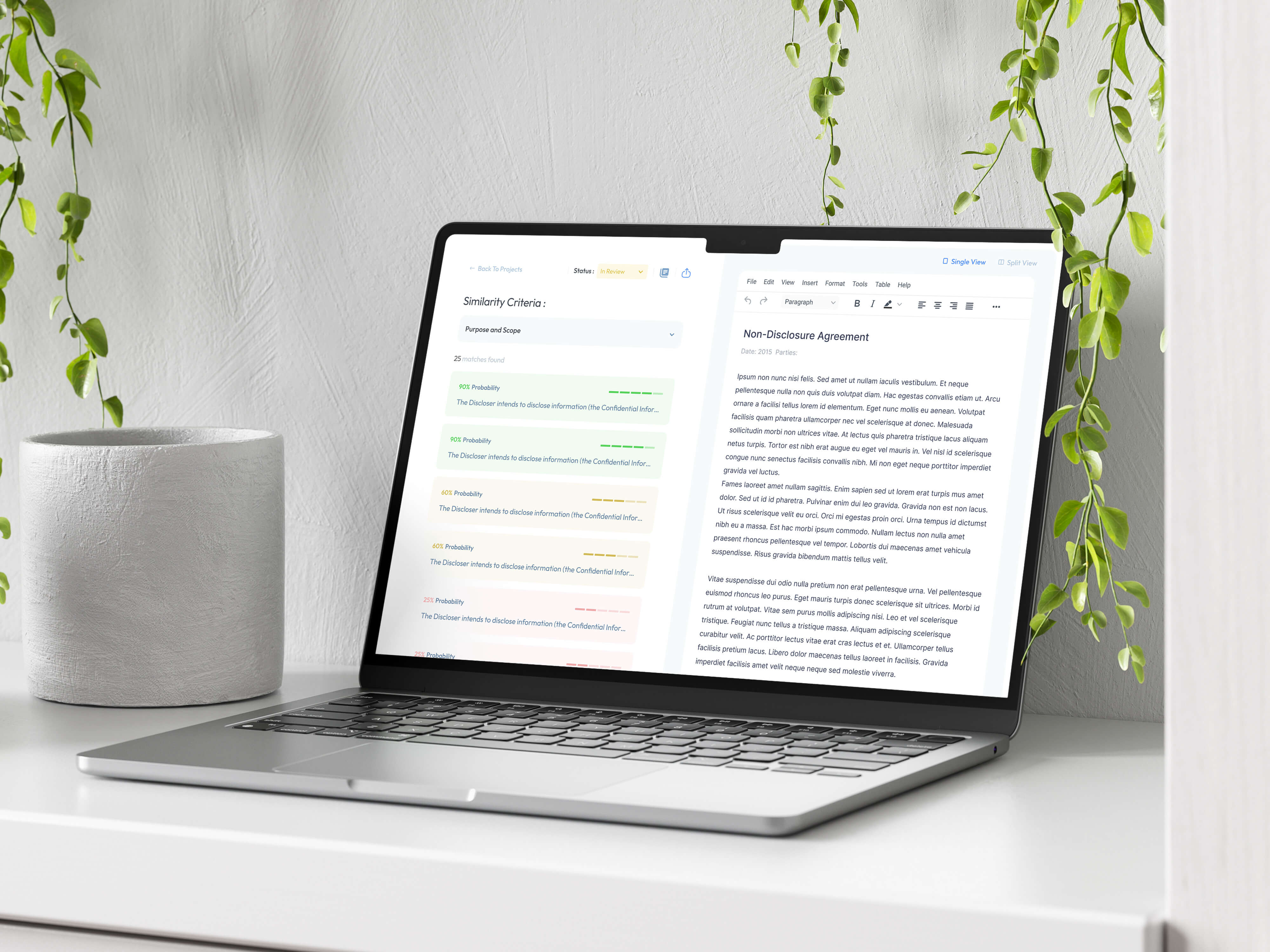
A key part of the structure is the separation between raw documents and AI-generated knowledge layers. Users can move between original files, extracted insights, summaries, and referenced answers, maintaining transparency while benefiting from abstraction. This layered approach ensures trust in AI outputs without losing access to source material.
Progressive disclosure is used heavily throughout the interface to manage complexity. High-level answers are shown first, while deeper explanations, citations, and document references are available on demand. This allows both quick decision-making and detailed analysis within the same flow.
Overall, the UX structure transforms document management into an intelligent exploration system, where users interact with knowledge rather than files
interface design
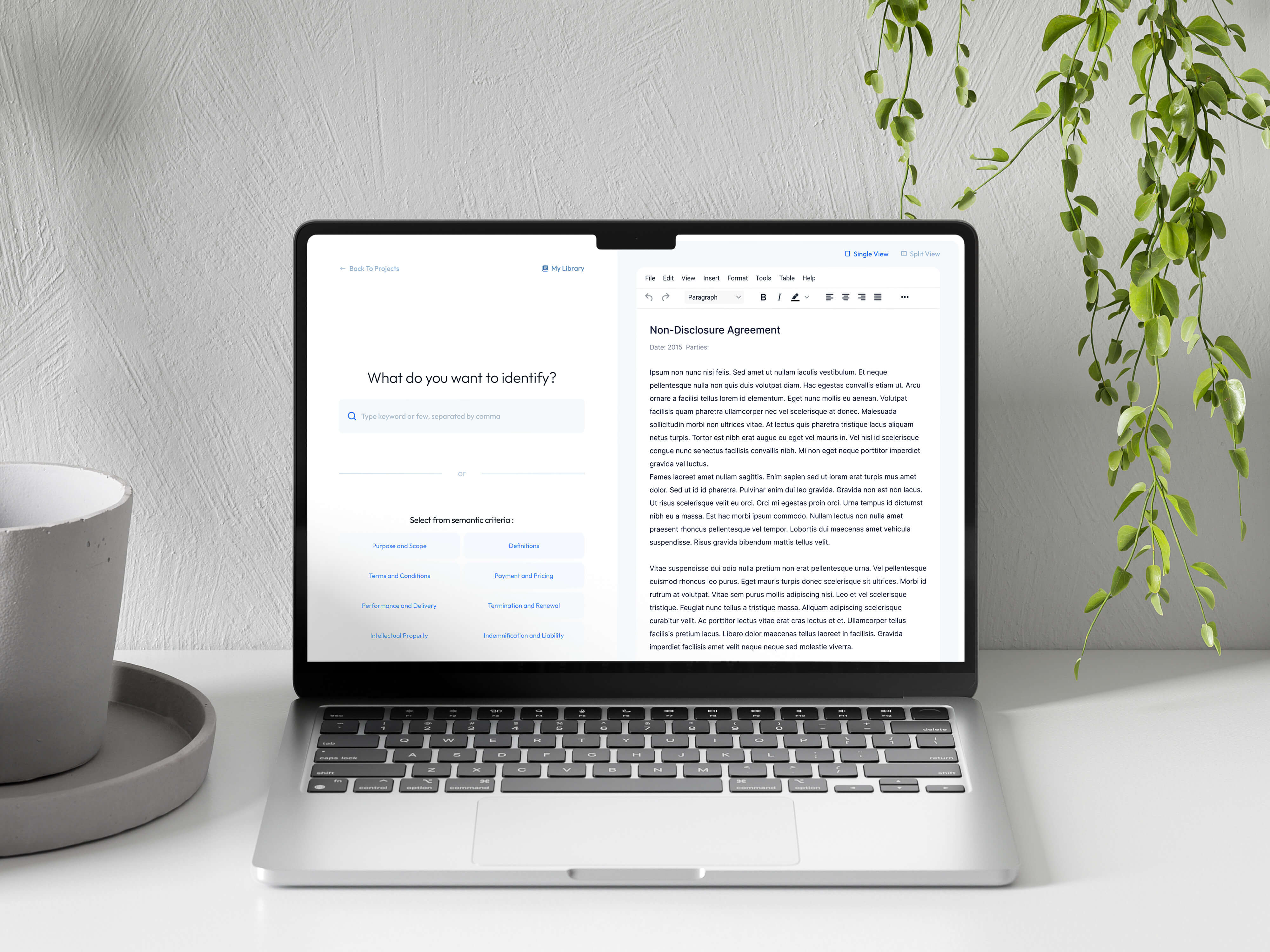
The interface design was built around the idea of making complex AI-driven document intelligence feel simple, controlled, and trustworthy. Since the product deals with high-density information and critical business content, the visual system needed to prioritize clarity, hierarchy, and cognitive ease over decorative or experimental UI patterns.
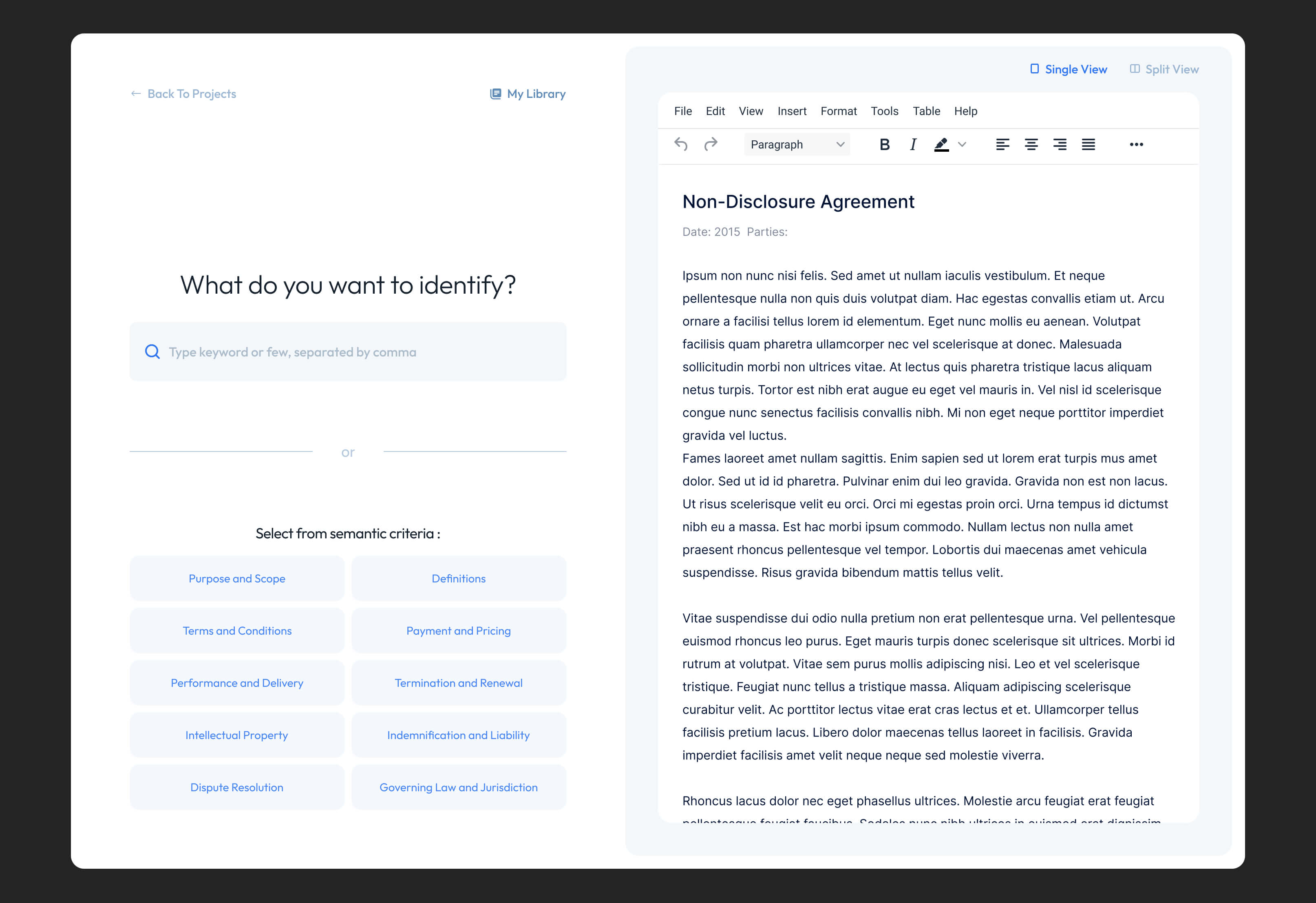
The layout system is based on a clean, structured grid with strong typographic hierarchy to support fast scanning of results, summaries, and document insights. Key actions such as asking questions, uploading files, and navigating between knowledge layers are kept visually dominant, while secondary metadata and technical AI outputs are intentionally subdued to reduce noise.
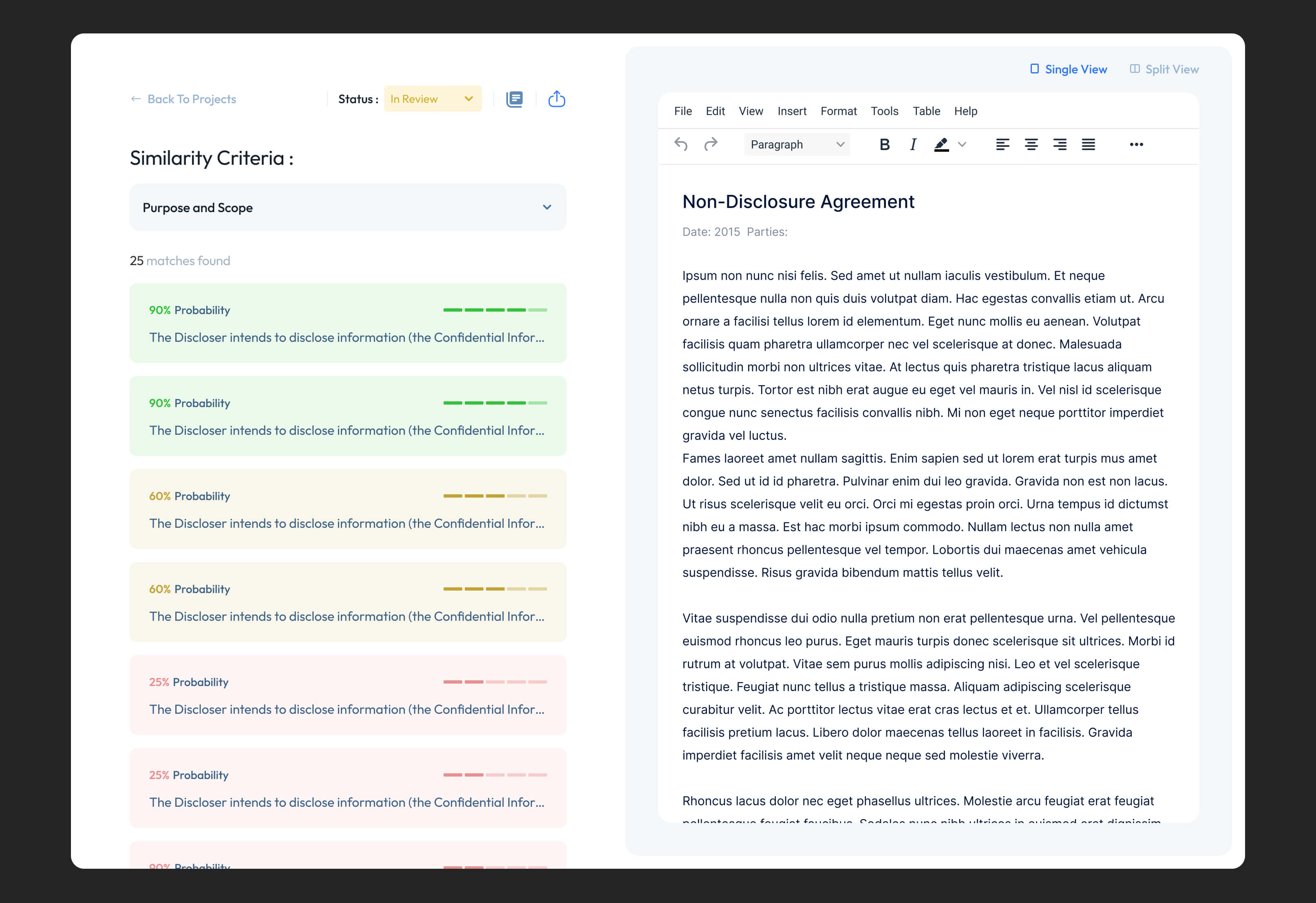
A significant focus was placed on translating AI interactions into understandable UI patterns. Instead of exposing raw model behavior, the interface frames AI output as structured insights, summaries, and referenced answers, making the experience feel more like working with an analytical assistant than a technical system. This helps build trust and reduces uncertainty when dealing with generated content.
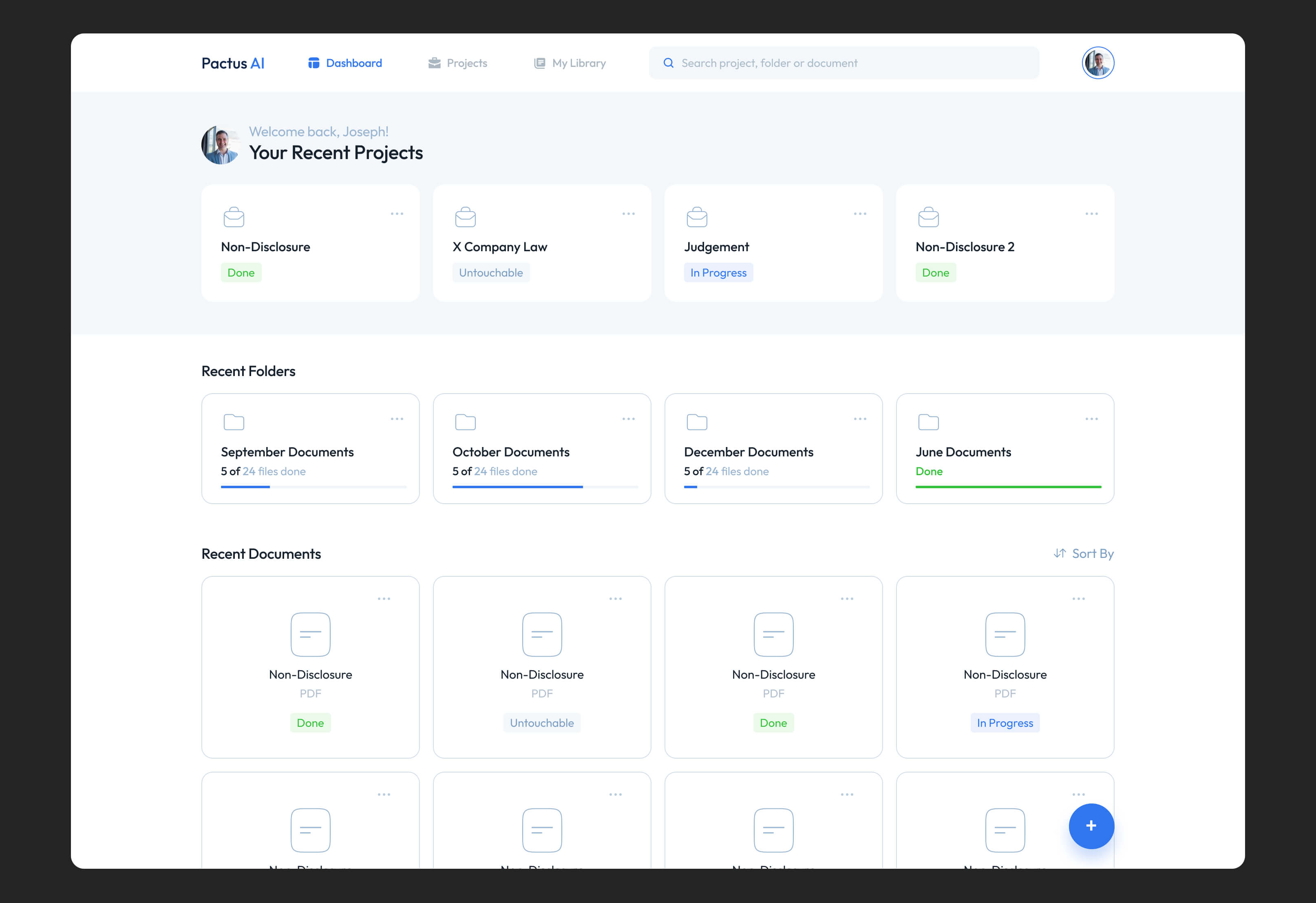
The visual language uses minimal color accents and subtle contrast shifts to differentiate between documents, extracted insights, and AI-generated responses. This layered approach helps users distinguish between source material and interpretation without overwhelming them with visual complexity.
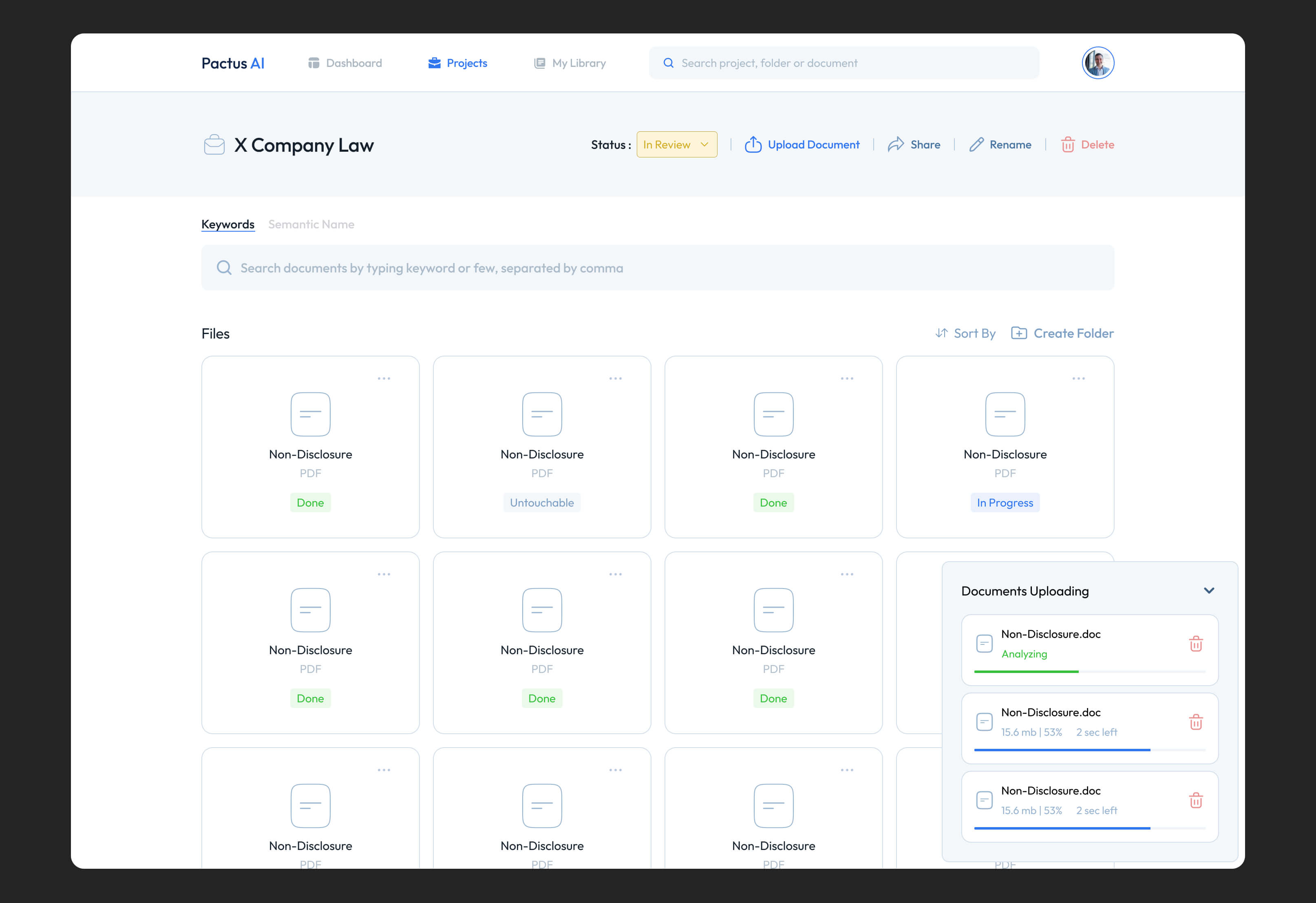
Overall, the interface design emphasizes control, transparency, and readability, ensuring that even highly complex document workflows remain approachable and efficient for everyday use.
outcomes and results
The final product establishes a clear shift from traditional document storage tools to an AI-native knowledge system where users interact with information through questions rather than manual navigation. This significantly reduces time spent searching through files and improves the speed of accessing relevant insights across large document sets.
The interface and UX structure successfully lower the cognitive load associated with complex document workflows, making it easier for users to understand, trust, and act on AI-generated outputs. The separation between raw documents, extracted insights, and contextual answers creates transparency while still benefiting from abstraction and automation.
From a product perspective, the system improves efficiency in knowledge-heavy workflows by turning static documents into an interactive, searchable intelligence layer. This positions the platform as a practical tool for decision-making rather than just a storage or management solution.
role
Product Designer
industry
Legal
duration
3 weeks
tools
Figma
project gallery